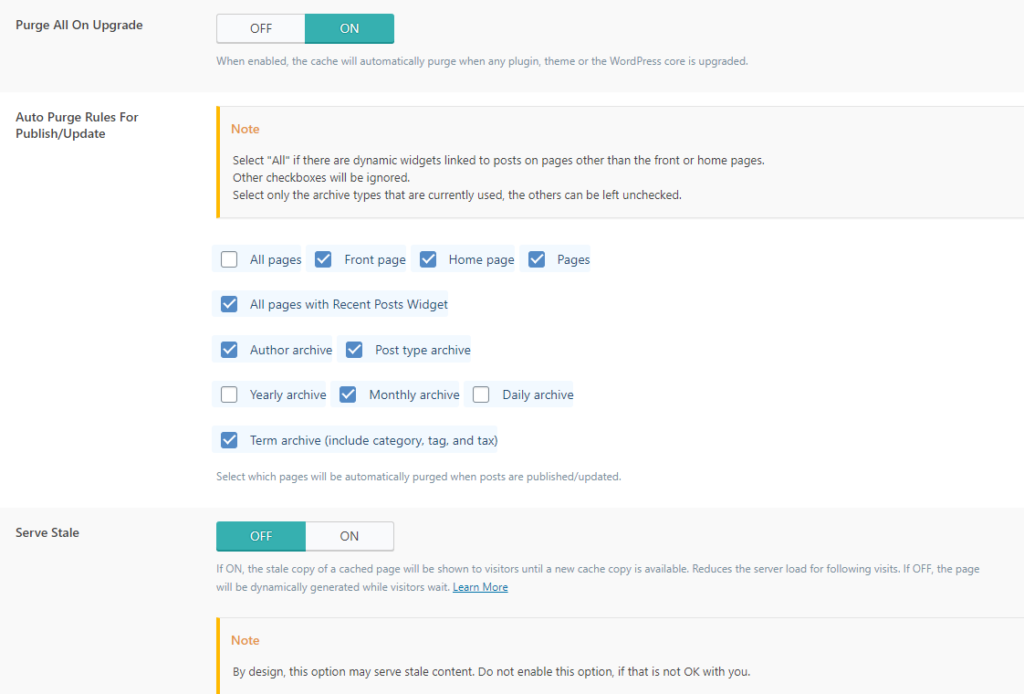
Purge All On Upgrade: This option is recommended to be turned on and indicates that when a wordpress or plugin update is done, everything that is cached will be deleted so that a new version cache can be created again.
Auto Purge Rules For Publish/Update: Check here All pages only if you have a sidebar dynamically created and if it changes and in order for that change to be visible, then it is necessary to delete the cache from all sides. When creating a page cache, then the sidebar also belongs to that page, and that's why this is necessary if the sidebar is changed.
Serve Stale: If you enable this option, every visitor will be shown the cached page until a cache of the new page that has been modified is created. It is important to keep this OFF in order not to show the user outdated content of a page. It is especially important when there are notices that may be important to visitors.
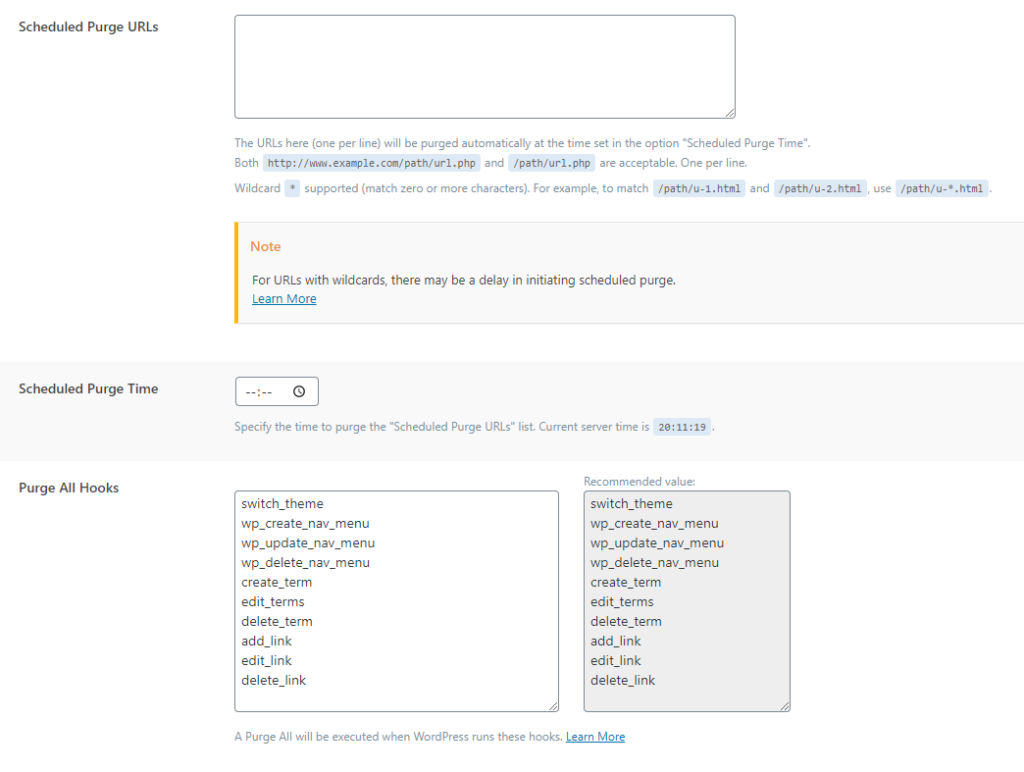
Scheduled Purge URL: Here you can put the links of the pages that you want the cache of those pages to be cleared at a specific time.
Scheduled Purge Time: here you choose when the cache will be cleared for the URL you specified in the option above.
Purge ALL Hooks: If any of these hooks are called at any time, all the cache will be cleared. This is very important because each of these hooks affects the entire site and that's why it's important to set all of these by default. And if you use one personally, it is very important to add it here so that the cache is automatically cleaned. In any case, even without this, you can manually clear all the cache.